
iPhone + iPad · Your ComfyUI host
Comfy Companion
Your ComfyUI host. In hand.
Captured workspace
Image workspace
Captured app controls · Illustrative artwork
Give an idea its first shape.
Begin with a sketch, prompt or reference in your configured host workflow.
Original captured app controls
Choose the next change.
Pick a style, edit the prompt and adjust Change from Touch to Fresh.
Original captured app controls
Keep exploring.
Change the prompt or add a reference to guide another interpretation.
Original captured app controls
About this demo
Real app controls with staged artwork, not measured generated output or processing speed. Models and results depend on your configured ComfyUI host.
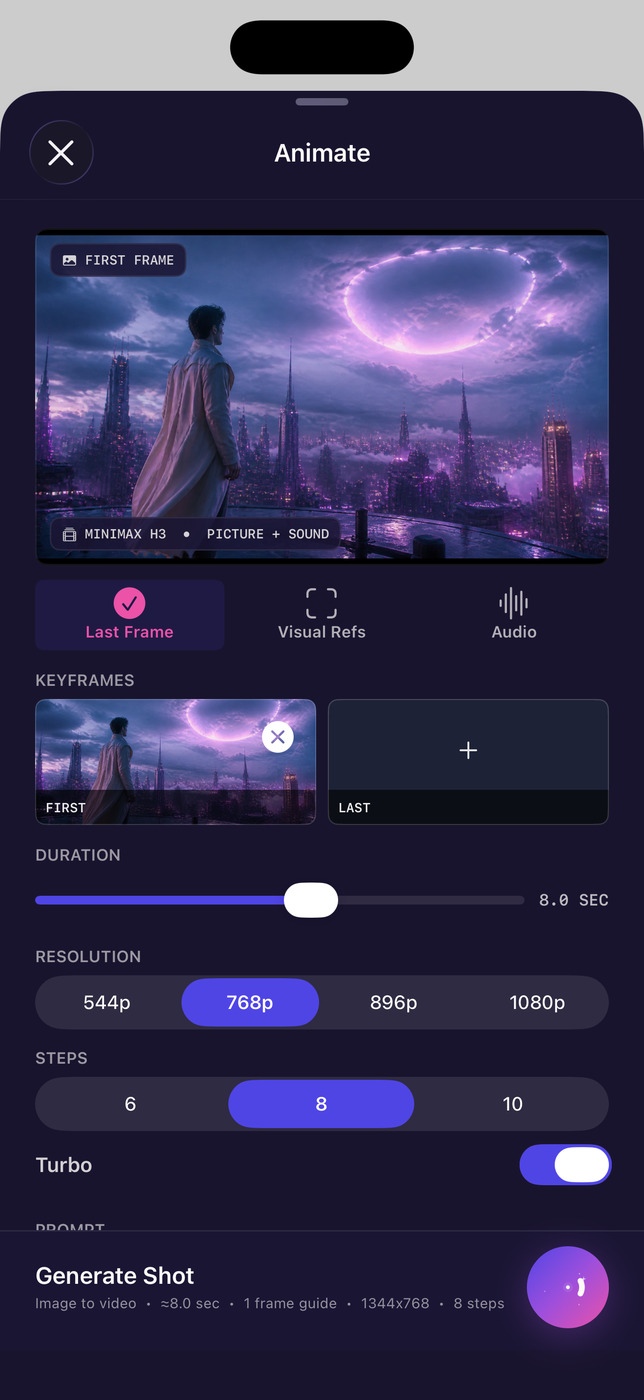
Motion Studio setup
Captured Motion setup · Illustrative artwork
Set the shot.
Choose keyframes, duration and output settings for a shot on your configured host.
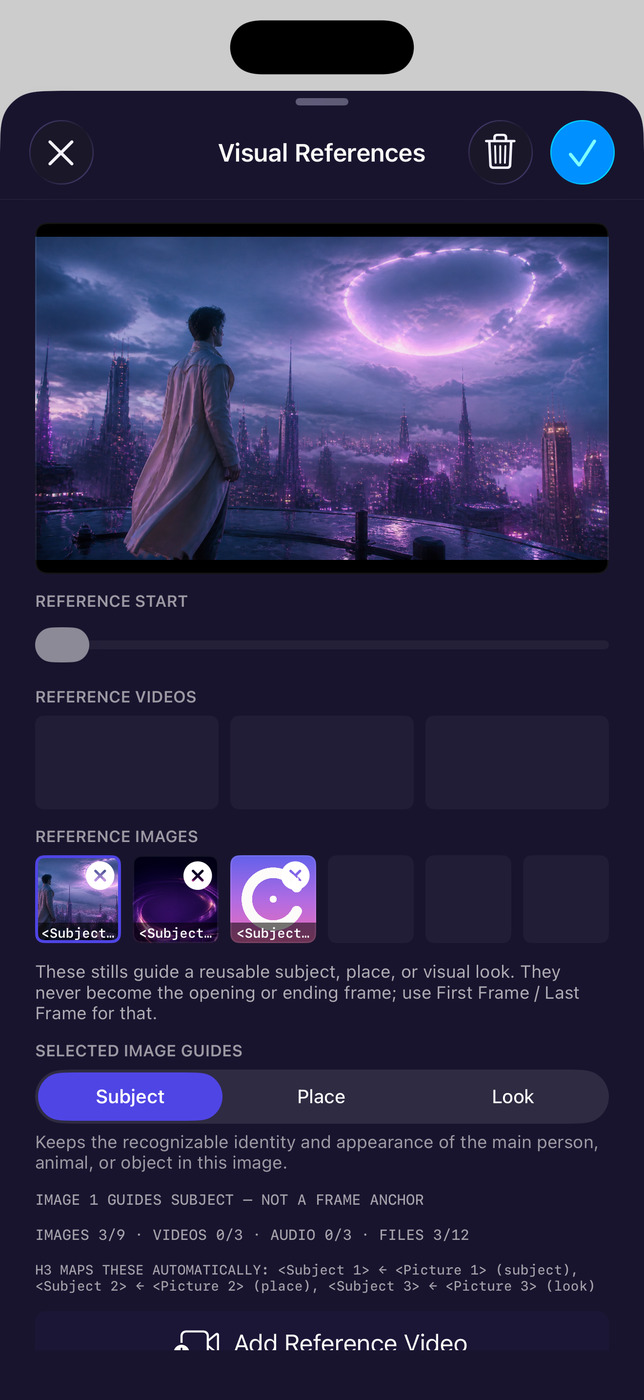
Give references a role.
Guide the subject, place or visual look with images. First and last frame anchors are separate.
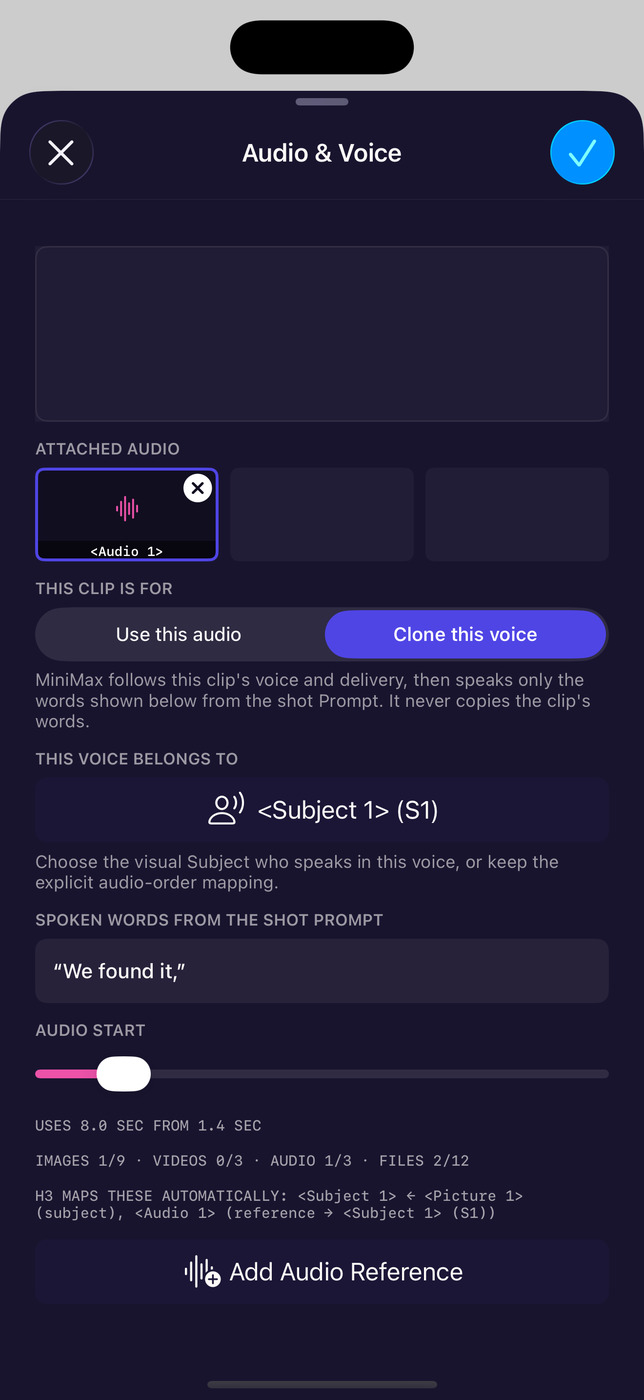
Place the voice.
Assign audio to a subject and place the spoken line in time. This captured setup uses “We found it.”
About this demo
Native build 272 setup screens, not completed motion output. Engines and results depend on your configured ComfyUI host.
Move from an image to a shot.
Develop a sketch, prompt or reference through your own ComfyUI host. Motion Studio brings frame anchors, reference roles and voice timing into the shot setup.
For creators with a compatible ComfyUI host. Your installed models and hardware determine the available tools.
Comfy Companion details
Who it’s for
For developing sketches and planning scenes through your own ComfyUI host.
What you can do.
Develop an image.
Start with a sketch, prompt or reference. Generate, edit and refine through the image engines installed on your host.
Set up a moving shot.
Bring frames, visual references, audio and duration together in Motion Studio. Available video tools depend on your configured engines and compatible hardware.
Organize in Director.
Keep projects, cast and world assets, shots and preferred takes together in the Director workspace.
Before you start.
Availability
Release details pending
Store access, pricing and release dates will be added when confirmed.
- Bring your host
- An iPhone or iPad and your own compatible ComfyUI host. Installed model packs and hardware determine which tools are available.
- Where inputs go
- Sketches, prompts and references are sent to the ComfyUI host you configure.
- Optional cloud costs
- RunPod setup uses your own account. RunPod bills compute and storage separately; retained network-volume storage can still incur charges when compute is stopped.
Recorded evidence
Motion Studio.
Captured setup controls · Illustrative artwork.
Frames, references, audio and duration. These screens show setup, not a completed film.
View the full Motion Studio screen
Visual references: subject, place, look
Audio: source, voice and timing
What this preview shows
The captures show real app controls with staged illustrative artwork. They do not establish measured generation output or processing speed. Available engines and results depend on your configured ComfyUI host.